Inbound security controls in the product
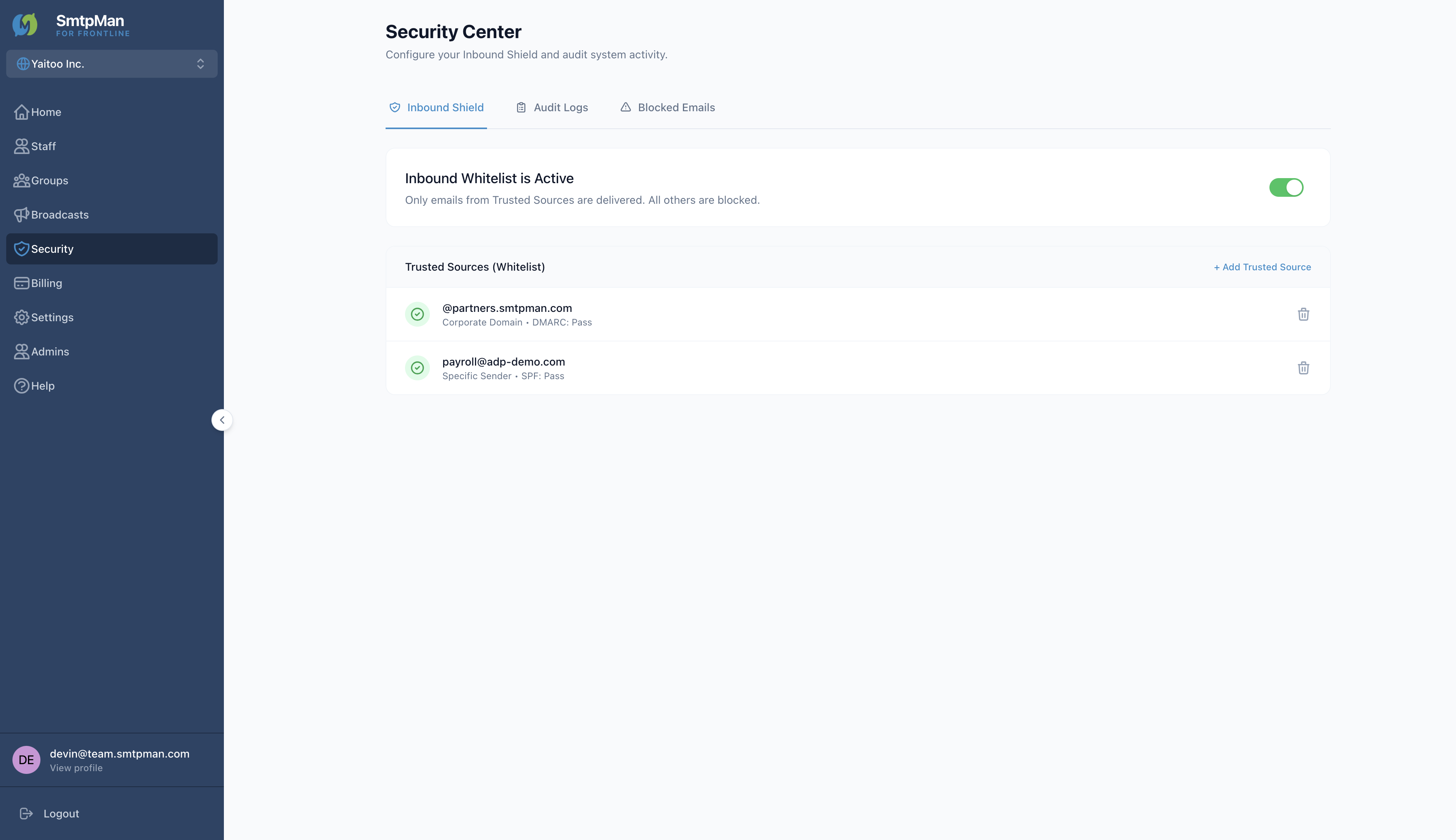
Open Security to reach Security Center. Tabs: Inbound Shield, Audit Logs, and Blocked Emails.
SmtpMan security settings map
| Screen | Controls | What it does |
|---|---|---|
| Inbound Shield | Inbound Whitelist toggle; Trusted Sources | Only Trusted Sources are delivered; all others are blocked |
| Add Trusted Source | Domain or Specific Email | Allow a whole domain (e.g., @vendor.com) or one address |
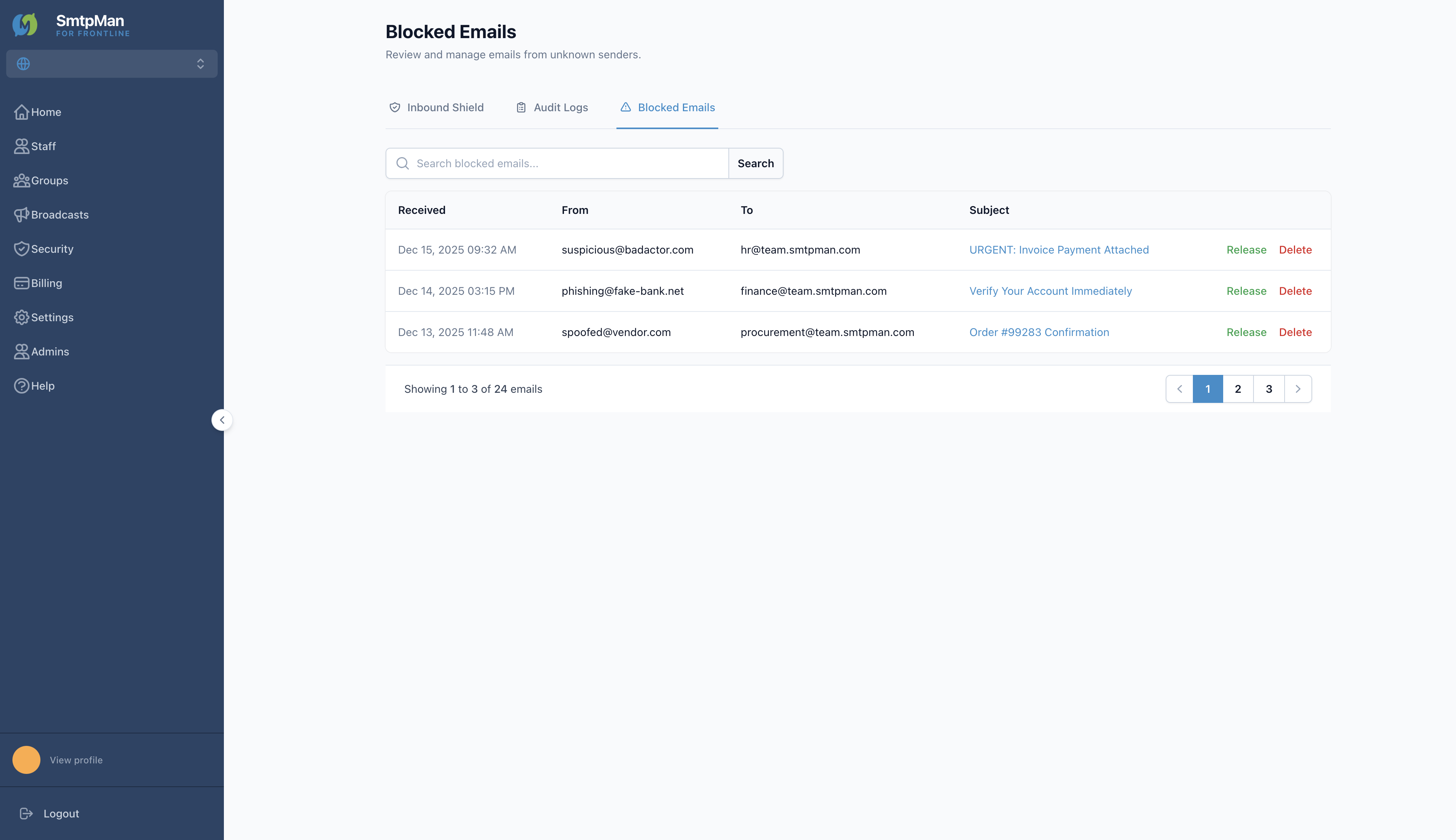
| Blocked Emails | Release / Delete | Review mail from unknown senders; release or remove |
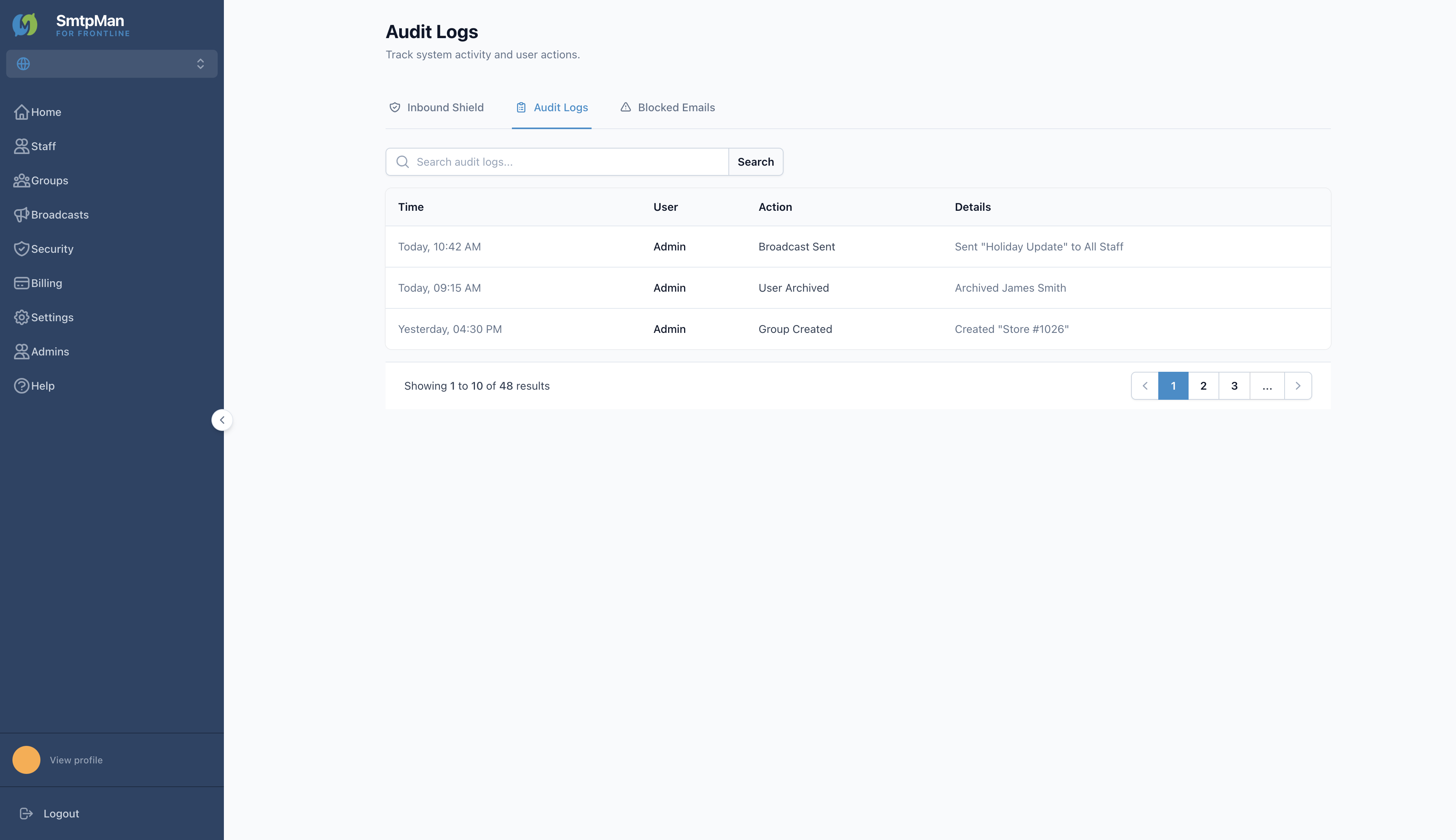
| Audit Logs | Time, User, Action, Details | Track system activity and administrator actions |
On Inbound Shield, use + Add Trusted Source. Choose Domain or Specific Email, enter the value, then Save Trusted Source.
Administrator responsibilities
- Keep Trusted Sources limited to senders your organization actually needs
- Review Blocked Emails before using Release or Add to Trusted & Release on a message detail
- Remove Trusted Sources you no longer need with the delete control on each row
- Coordinate allowlist policy with HR/ops—product toggles alone are not a full security policy
Audit and monitoring views
Open Audit Logs to search recent actions (for example Broadcast Sent, User Archived, Group Created). Columns are Time, User, Action, and Details.
Limits of product controls
- Inbound Shield filters delivery against Trusted Sources—it does not replace staff training or endpoint security
- Releasing a blocked message or adding a Trusted Source can still deliver unwanted mail if the source is wrong
- Domain verification in the product uses MX and IMAP/SMTP CNAMEs under Settings → Domains—not this Security screen. SPF, DKIM, and DMARC background lives in the DNS guide linked below
- Full approved-sender policy design belongs in the allowlist guide linked below—not duplicated here