Create a group
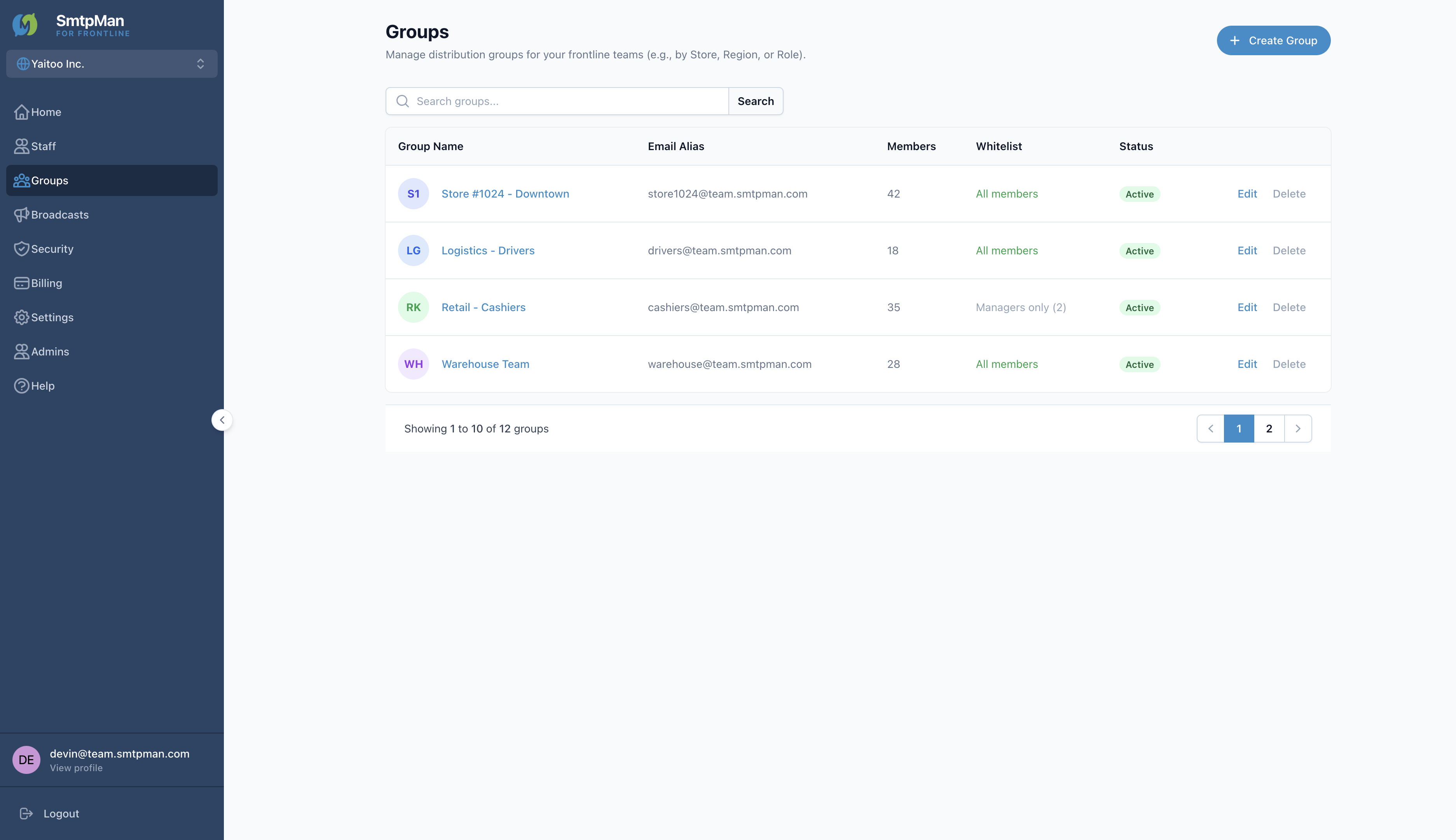
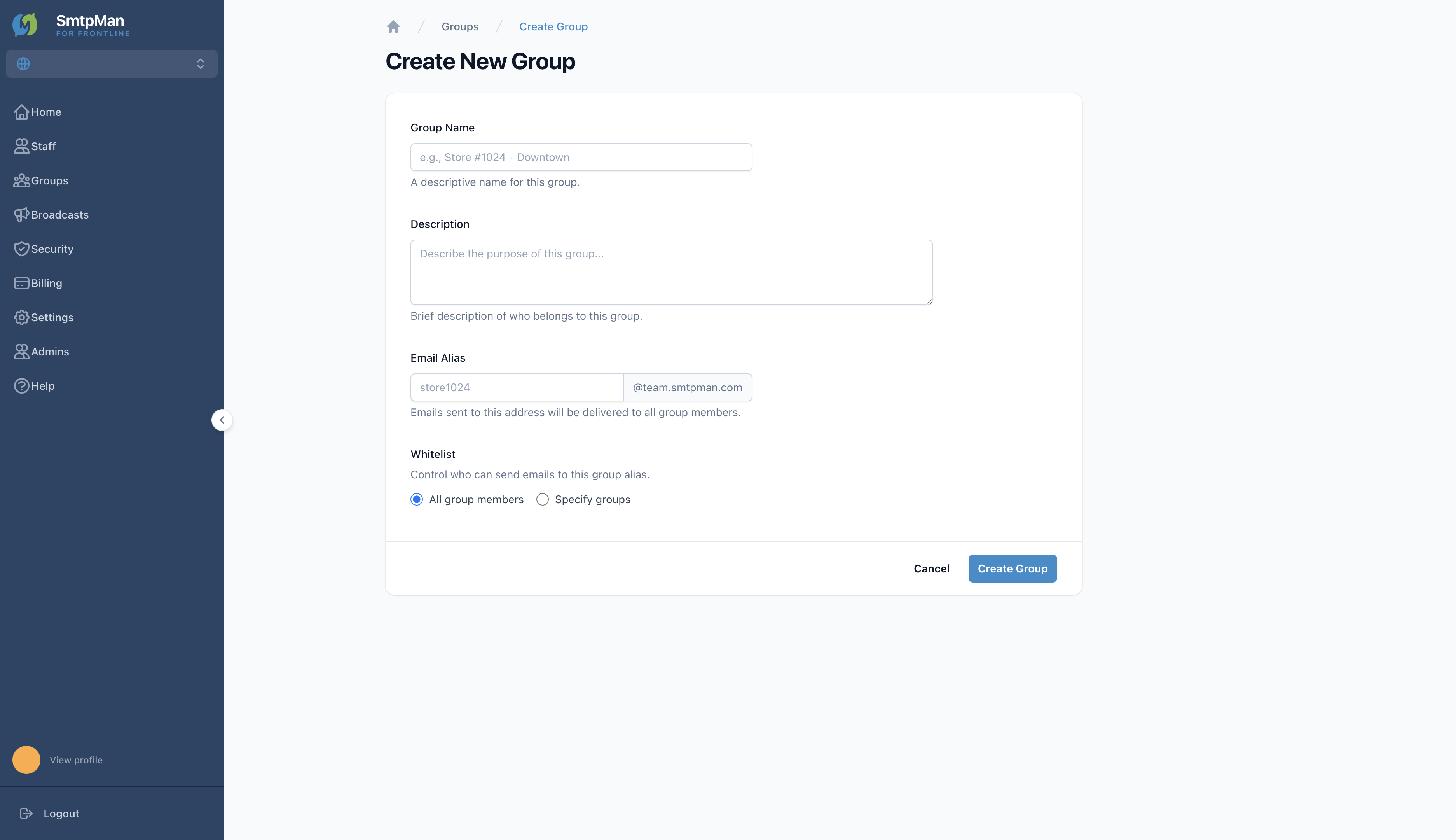
Open Groups in the sidebar, then click Create Group to open Create New Group.
Group management steps
- Group Name — descriptive label (e.g., Store #1024 - Downtown)
- Description — who belongs in the group
- Email Alias — prefix + your team domain (e.g., store1024@team.smtpman.com). Mail to this address reaches all members
- Whitelist — All group members (default) or Specify groups
- Create Group — save
Add and remove members
On the group list, use Edit to open group details. Under Group Members, click + Add Members, search available staff, select people, then Add Member(s). Use Remove on a member row to take someone out of the group.
- Save Changes updates Group Name and Description
- Save Settings updates Email Alias and Whitelist
- Delete Group removes the group from the organization
Use groups with broadcasts
When you create a broadcast, choose recipient groups from the groups you manage here. Staff must be members of a group to receive broadcasts sent to that group.
For the send form fields (Subject, Priority, Message, Request Read Receipt), see Help: broadcasts.