Where to find billing
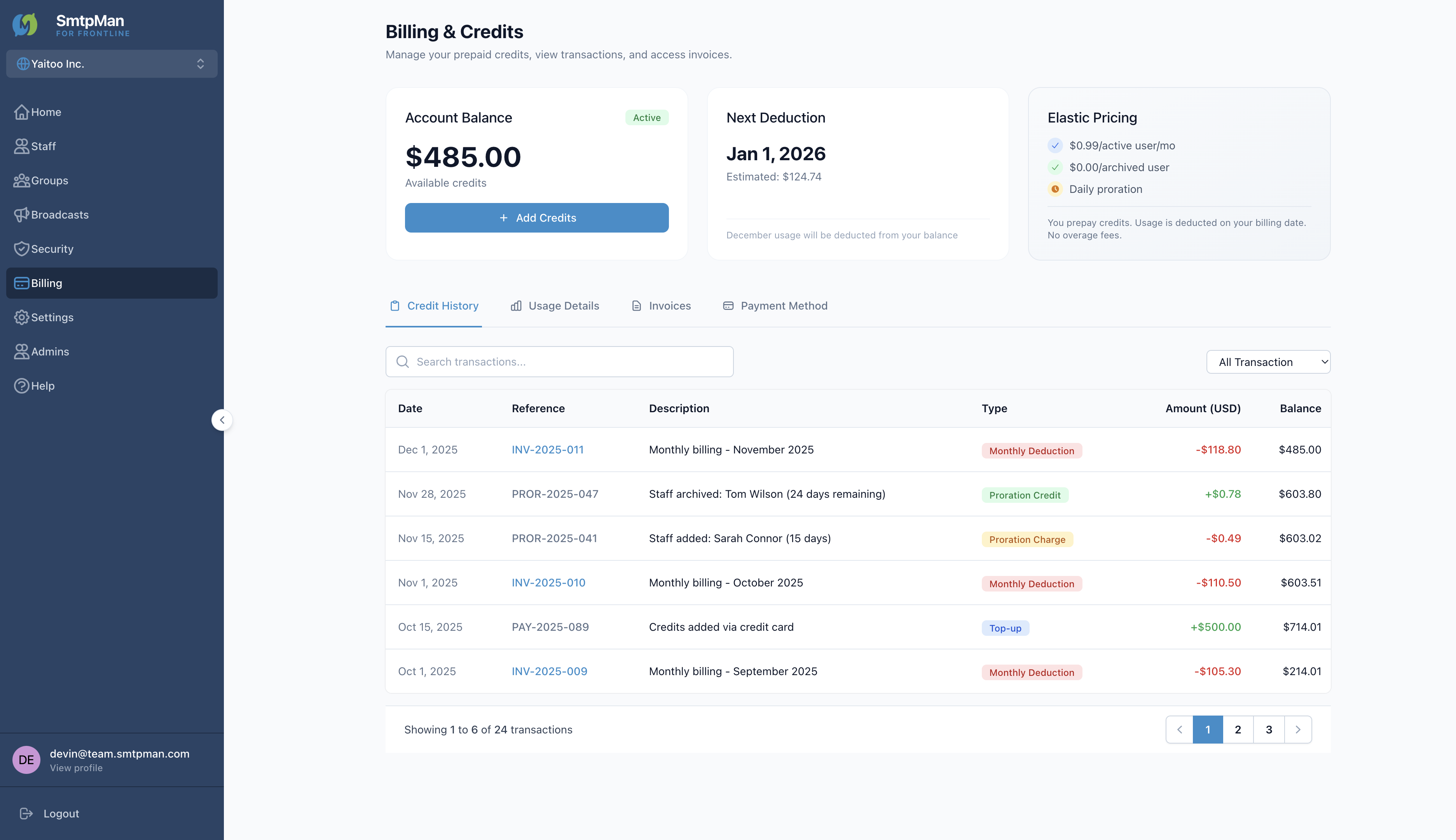
Open Billing in the dashboard sidebar. The page title is Billing & Credits. Tabs across the top of the content area:
- Credit History → /billing
- Usage Details → /billing/usage
- Invoices → /billing/invoices
- Payment Method → /billing/payment
Overview cards show Account Balance (Available credits + Add Credits), Next Deduction, and Elastic Pricing ($0.99/active user/mo, $0.00/archived user, Daily proration). Published plan rates also appear on SmtpMan pricing.
Seats and invoices
Credit History lists transactions with filters: All Transactions, Top-up, Monthly Deduction, Proration Adjustment. Type badges include Monthly Deduction, Proration Credit, Proration Charge, and Top-up.
Usage Details shows seat usage by day (Active Seats, Archived Users, Proration, Daily Cost). Invoices lists invoice numbers with status Settled or Scheduled, plus View and Download PDF.
Elastic Pricing copy in the product: “You prepay credits. Usage is deducted on your billing date. No overage fees.”
Payment methods
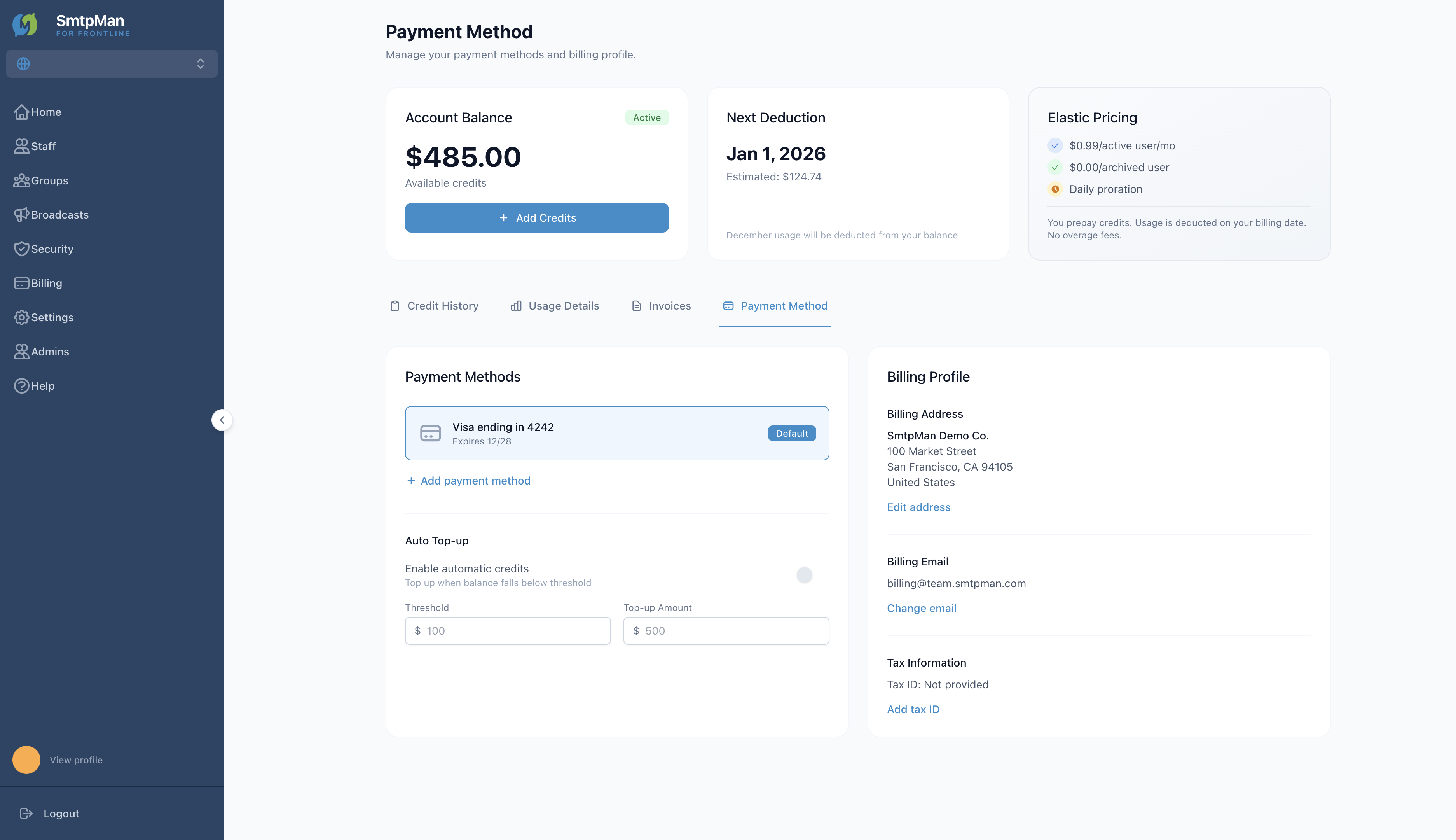
Open the Payment Method tab to manage cards, Auto Top-up, and Billing Profile.
- Payment Methods — saved card with Default badge; Add payment method
- Auto Top-up — enable automatic credits; Threshold and Top-up Amount
- Billing Profile — Billing Address, Billing Email, Tax Information
Common billing questions
In-product billing FAQ
What happens when I add or archive a seat mid-cycle?
Billing uses daily proration shown under Elastic Pricing and Usage Details. Adding a seat creates a Proration Charge; archiving creates a Proration Credit. Rates match SmtpMan pricing.
Where do I download invoices?
Open Billing → Invoices, then View or Download PDF for a row.
How do I update a payment method?
Open Billing → Payment Method, then Add payment method or edit Billing Profile fields.
Who can change billing settings?
Organization administrators. Profile and admin access are covered under Help: account.